
Queue Management System
Faster, fairer service at every counter.
QMAGS organizes customers from the moment they take a ticket to the moment they are served. Its kiosk, counter, display, admin, and reporting screens all update together in real time over your office network (LAN) — and it keeps working even without an internet connection.
QMAGS at a glance
Organize the complete queue from one connected system.
A web-based queue system that prints numbered tickets, guides each service counter, announces the number being called, and keeps a record of queue activity.It is made for organizations that need a clear serving order, more than one counter, priority lanes (for seniors, PWDs, and pregnant customers), and a better view of each day's queue activity.
See the system
Simple screens for customers and waiting areas.
The kiosk and display screens run in a web browser and update along with the rest of the system over your office network.
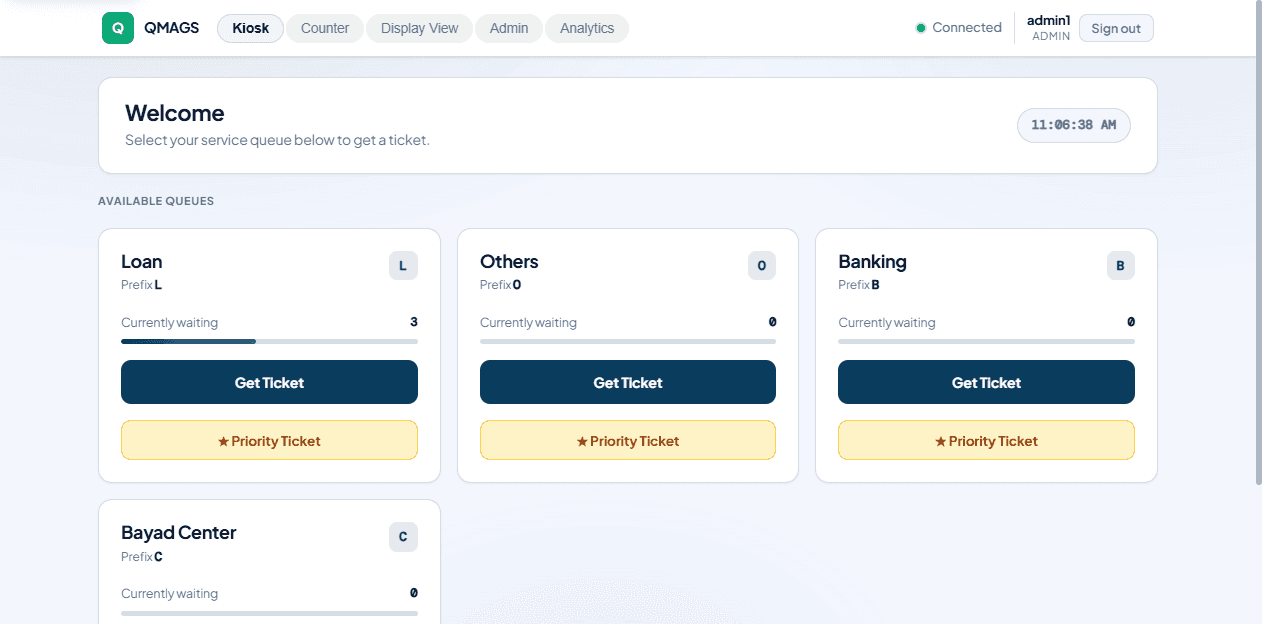
Kiosk screen: customers or front-desk staff pick a service and print a regular or priority ticket.
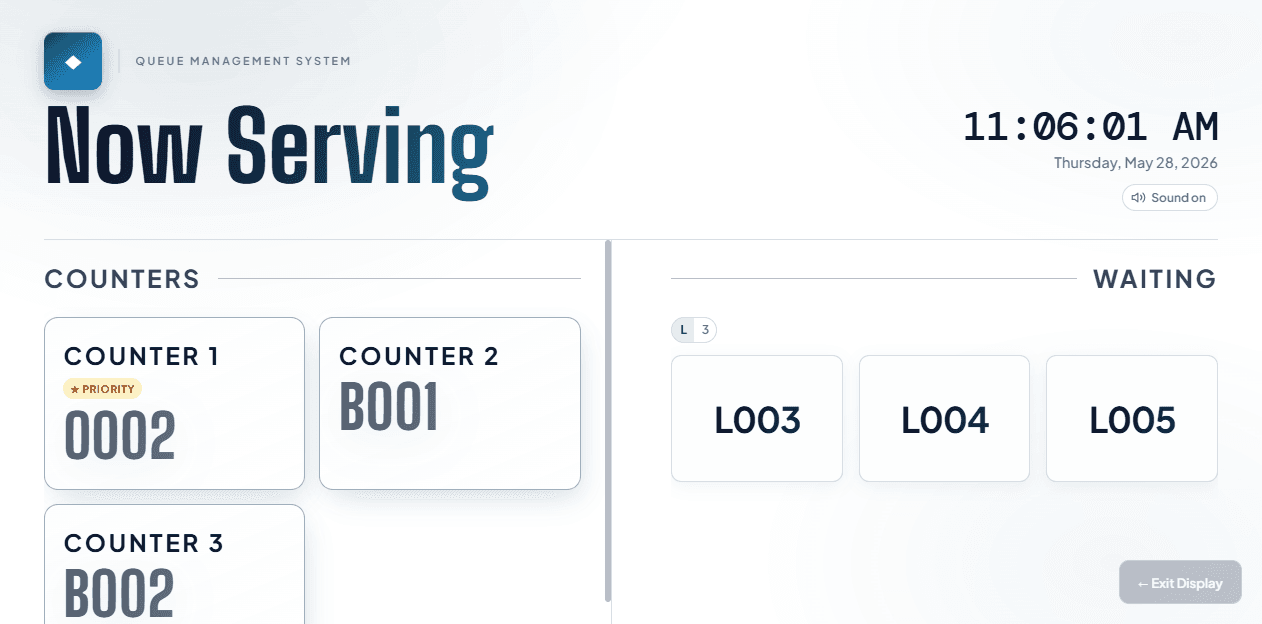
Public display: waiting customers can see the active ticket numbers, while voice announcements point them to the right counter.
What QMAGS includes
The tools needed to issue, call, manage, and understand queue tickets.
Regular and priority tickets (for seniors, PWDs, and pregnant customers)
A ticket kiosk customers can use themselves, or staff can operate
Counter controls to call, serve, recall, transfer, and mark no-shows
A public “Now Serving” screen with spoken announcements
Settings for your queues, counters, users, and branding
Reports on queue activity, busy hours, and counter performance
Works on your local network, with no constant internet needed
Backup, restore, installation, training, and support
How the queue moves
Four connected steps from arrival to reporting.
The customer picks a service and takes a numbered ticket.
Counter staff call the next customer from their web-based screen.
The public screen shows and announces the ticket number and counter.
Finished, transferred, and missed visits are recorded for reporting.
Setup and support
We confirm the full setup for your actual location.
Comes with setup, installation on your local network, staff training, documentation, and support. Final hardware, licensing, installation, and support terms are confirmed in a quotation.
Discuss your queue setupRequest a demonstration
See QMAGS issue, call, display, and record queue tickets.
Share the number of counters, service queues, and the type of waiting area you need to manage.